Invisible Text Generator – Copy & Paste Blank Space Easily
Create invisible text, blank space, or empty characters instantly. Perfect for WhatsApp, Instagram, Free Fire, Discord, and more.
Paste or Generate Invisible Text
Emoji Spam Generator
Invisible Text Generator – Copy & Paste Blank Space Easily
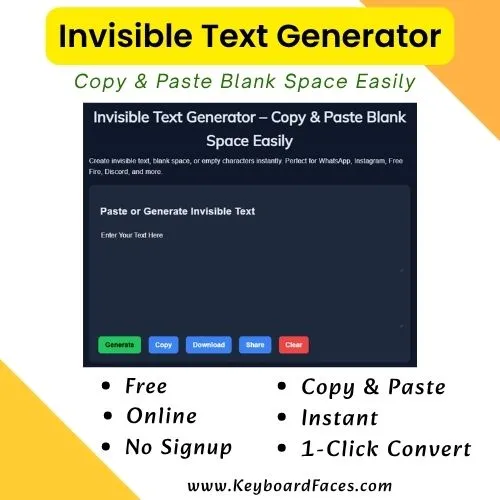
The invisible text generator is a powerful online tool that allows you to create blank space characters that appear completely empty but can still be copied and pasted anywhere. Whether you want to send a blank message, create an invisible username, or hide text creatively, this tool makes everything simple, fast, and effective.
Many users search for blank space copy paste, empty character generator, or invisible text to perform unique tricks on social media platforms like WhatsApp, Instagram, Discord, Free Fire, PUBG, and more. This tool solves that problem by generating clean, working invisible text without complicated methods.
What is Invisible Text?
Invisible text refers to characters that do not display any visible symbol but still exist in the text field. These characters are often used for formatting tricks, sending blank messages, or creating unique usernames. With an invisible text generator, you can quickly generate and copy these blank characters.
Unlike normal text, invisible characters are not visible on screen but still occupy space. This makes them extremely useful for creative and fun purposes across different platforms.
Why Use an Invisible Text Generator?
There are many reasons why people use an invisible text generator. It’s not just a gimmick—it’s a practical tool for modern digital communication.
- 1. Send blank messages on WhatsApp and Messenger
- 2. Create invisible usernames in games like Free Fire
- 3. Hide text in Instagram bios
- 4. Format content creatively
- 5. Generate empty space for design purposes
Instead of manually trying different methods, this tool provides a one-click solution to generate invisible text instantly.
How to Use Invisible Text Generator
Using this tool is extremely easy. Follow these simple steps:
- 1. Enter or paste your text (optional)
- 2. Click on the "Generate" button
- 3. Copy the invisible text
- 4. Paste it anywhere you want
That’s it! You now have working invisible text ready to use anywhere online.
Best Uses of Invisible Text
1. WhatsApp Blank Messages
Send blank messages to your friends on WhatsApp and surprise them. This is one of the most popular uses of invisible text.
2. Free Fire Invisible Name
Gamers love using invisible text to create unique usernames in Free Fire and other games. Stand out with a name that appears empty.
3. Instagram Bio Tricks
Make your Instagram bio look clean and aesthetic by adding invisible spaces.
4. Discord Formatting
Use invisible text to create unique spacing and formatting in Discord chats.
5. Creative Design
Designers use invisible characters to create spacing and alignment in text layouts.
Features of This Invisible Text Tool
- 1. 100% free to use
- 2. No login required
- 3. Instant copy & paste
- 4. Mobile-friendly design
- 5. Works on all platforms
- 6. Fast and lightweight
This tool is designed to provide a seamless experience with no delays or complexity.
Tips for Best Results
- 1. Use short invisible text for messaging apps
- 2. Test before using in usernames
- 3. Combine with emojis for better effect
- 4. Bookmark this page for quick access
Bookmark This Tool
Save this page for future use and access it instantly whenever you need invisible text.
Share With Friends
Help others discover this amazing invisible text generator.
Frequently Asked Questions (FAQ)
1. What is an invisible text generator?
It is a tool that creates blank or invisible characters that can be copied and pasted anywhere.
2. Is invisible text safe to use?
Yes, it is completely safe and does not harm your device or data.
3. Where can I use invisible text?
You can use it on WhatsApp, Instagram, Discord, Free Fire, PUBG, and more.
4. Does it work on mobile?
Yes, the tool is fully mobile-friendly and works on all devices.
5. Is it free?
Yes, this invisible text generator is 100% free.
Conclusion
The invisible text generator is a must-have tool for anyone looking to create blank space, empty characters, or invisible text quickly and easily. Whether you're a gamer, social media user, or designer, this tool offers endless possibilities.
Start using this tool today and unlock creative ways to communicate, design, and stand out online.